
Google Tag Manager upgrade guide
This guide explains how to upgrade your CookieHub GTM implementation to the latest method using the CookieHub GTM community template, which fully supports Google Consent Mode.
Identifying your current GTM implementation
CookieHub previously supported three GTM implementation methods. Now, only the CookieHub GTM community template is supported. Follow these steps to identify which method your GTM container uses:
1. CookieHub GTM community template ✅
If the Tag Type in GTM is CookieHub CMP, you are using the latest implementation.

Proceed to How to upgrade the CookieHub GTM community template.
2. Legacy CookieHub GTM template ❌
If the Tag Type is CookieHub, you are using a previous implementation that is no longer supported and does not include the recommended consent mode setup.

See How to upgrade from legacy GTM implementations.
3. Custom HTML ❌
If the Tag Type is Custom HTML, you are using an old implementation that is not supported and does not work with consent mode.

See How to upgrade from legacy GTM implementations.
How to upgrade CookieHub GTM community template
If you already use the community template and an upgrade is available:
- Log in to your GTM account.
-
If an update is available, a notification bar will appear at the top of the workspace.

- Click View in the notification.
-
Review the update details and click the CookieHub CMP line.

-
A detailed list of changes will be shown. Click Accept Update.
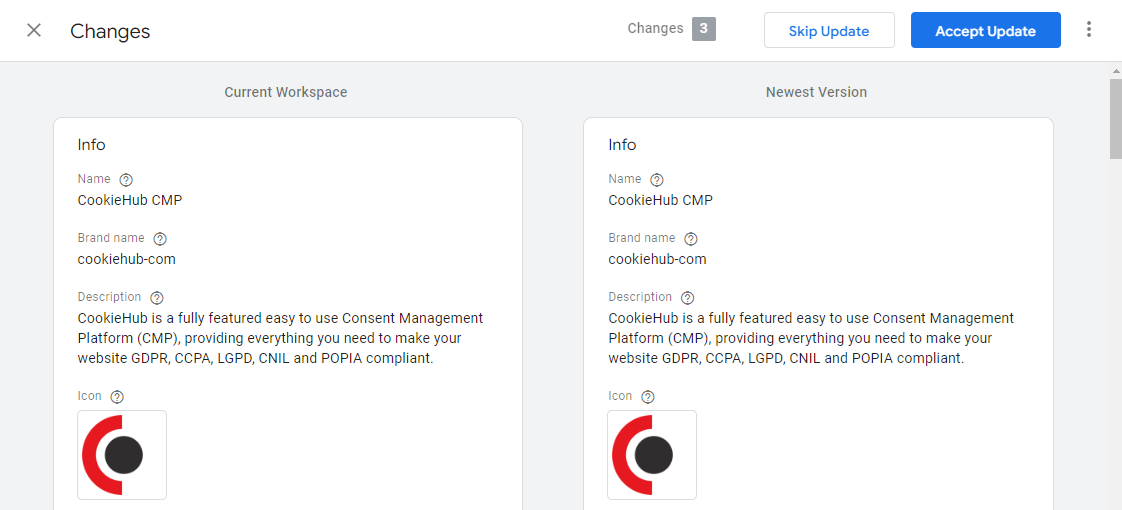
- Once the update is complete, click Submit to publish your changes.
How to upgrade from legacy GTM implementations to the CookieHub GTM community template
The steps may vary depending on your triggers, variables, and custom settings. In most cases:
- Follow the steps in Installing CookieHub with GTM (Community Template) to add the new tag.
- After verifying the new tag works, remove the old CookieHub tag.
Post-upgrade tasks
After upgrading, review the following:
Firing trigger for CookieHub CMP
-
Ensure the CookieHub CMP tag uses only the Consent Initialization – All Pages trigger.
This is critical because CookieHub must load before any other tag that depends on consent.
Firing triggers for other tags
- If you previously used category-specific triggers like CookieHub – Allowed Analytics or CookieHub – Allowed Marketing, you should stop using them when Consent Mode is enabled.
- For tags with built-in Consent Mode support (e.g., Google Analytics, Google Ads), use your standard triggers. These tags automatically respect consent via Consent Mode signals.
- To check which tags support Consent Mode, see How to use Consent Overview in GTM.
- For tags without built-in support, configure Additional Consent as explained in Configuring additional consent in GTM.
Region defaults for Consent Mode
- In CookieHub 2.8 and later, Consent Mode defaults (both global and region-specific) must be configured in the GTM community template.
- If your CookieHub setup includes multiple regions, follow How to configure regions in GTM.
- Previously, CookieHub updated Consent Mode after load, but this is no longer recommended. Now, defaults should be applied before any other tag fires.