
How to find your CookieHub implementation code
You need your implementation code to install CookieHub on your website. This code is unique to each domain and is referenced in all setup guides.
Steps to find the implementation code
- Log in to your CookieHub dashboard.
- If you already have a domain, click on it. If not, click Add and create a new domain.
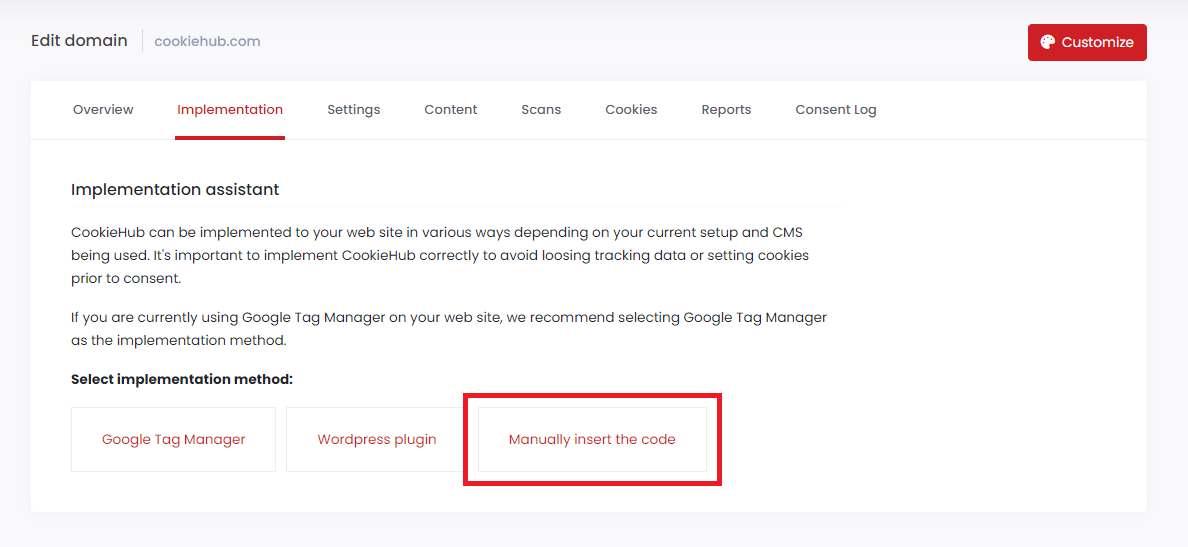
- Go to the Implementation tab.
-
Select Manually insert the code.
-
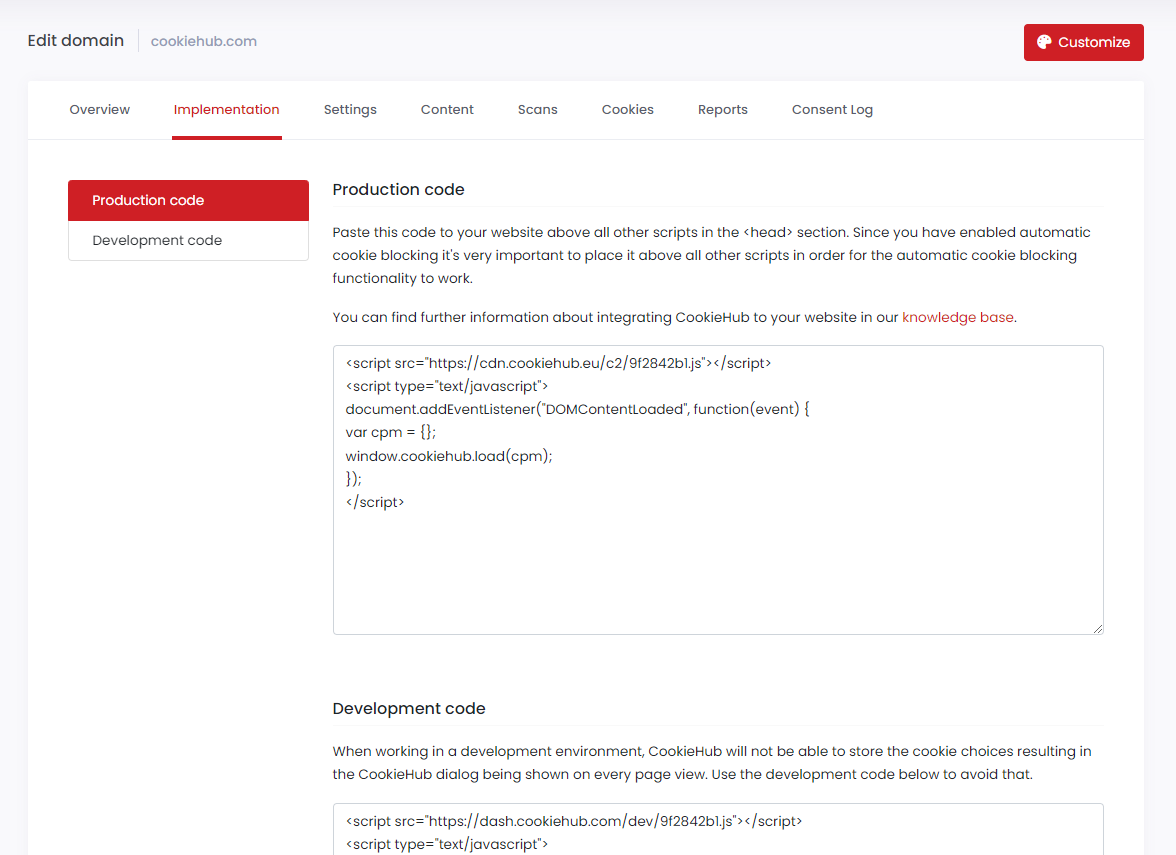
Copy the code from the Production section.
Important notes
- The code may look different depending on your settings:
- If Automatic Cookie Blocking is enabled, the script includes additional logic.
- If Google Consent Mode is enabled, the necessary consent signals are integrated automatically.
- Use the Production code for live websites. If you are testing changes, you can also use the Development mode option in the dashboard.
Paste this code in the <head> section of your site as described in the installation guides.